Watch your AI go to work.
Give any compatible AI your real context — then run observable agent teams that plan, collaborate and finish the work on your hardware.
curl -fsSL https://lifekernl.com/install.sh | sh
Free · Apache-2.0 · No telemetry · No accounts
Verify the script's integrity before running it:
curl -fsSL -O https://lifekernl.com/install.sh
curl -fsSL https://lifekernl.com/install.sh.sha256 | sha256sum -c -
sh ./install.sh
THE SYSTEM, AT A GLANCE
Your context. A team. Work you can follow.
Connect the tools you use, give your agents a goal, and follow their actions from one place. Kernl runs on your own computer or server.
01 / CONTEXT
Your connected world
Enabled modules expose data and actions as tools.
02 / COORDINATION

Kernl agent teams
Agents use tools, exchange messages and delegate work to colleagues.
03 / VISIBILITY
Follow the work
- Actions & tool results
- Run status & history
- Outputs & notifications
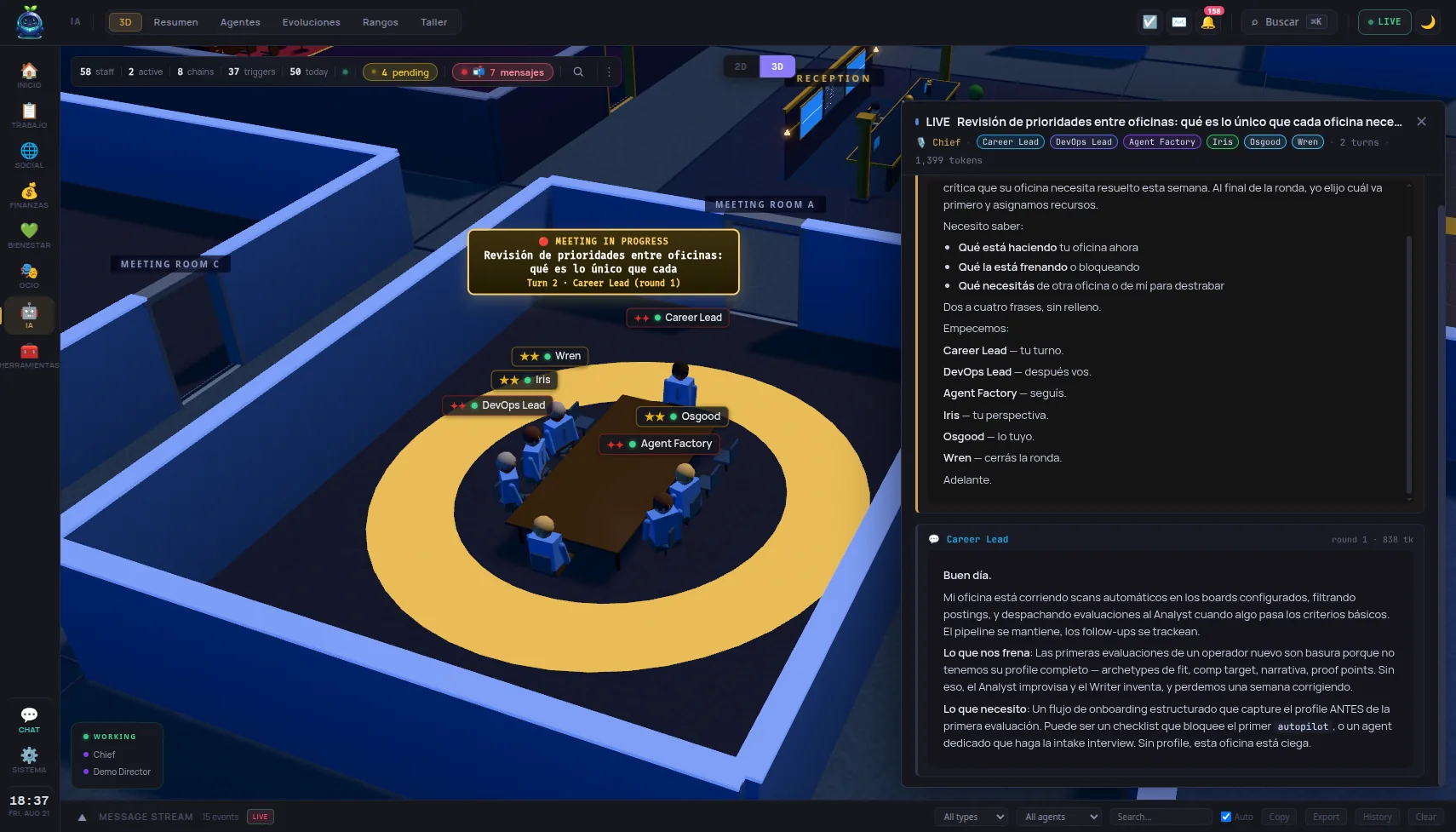
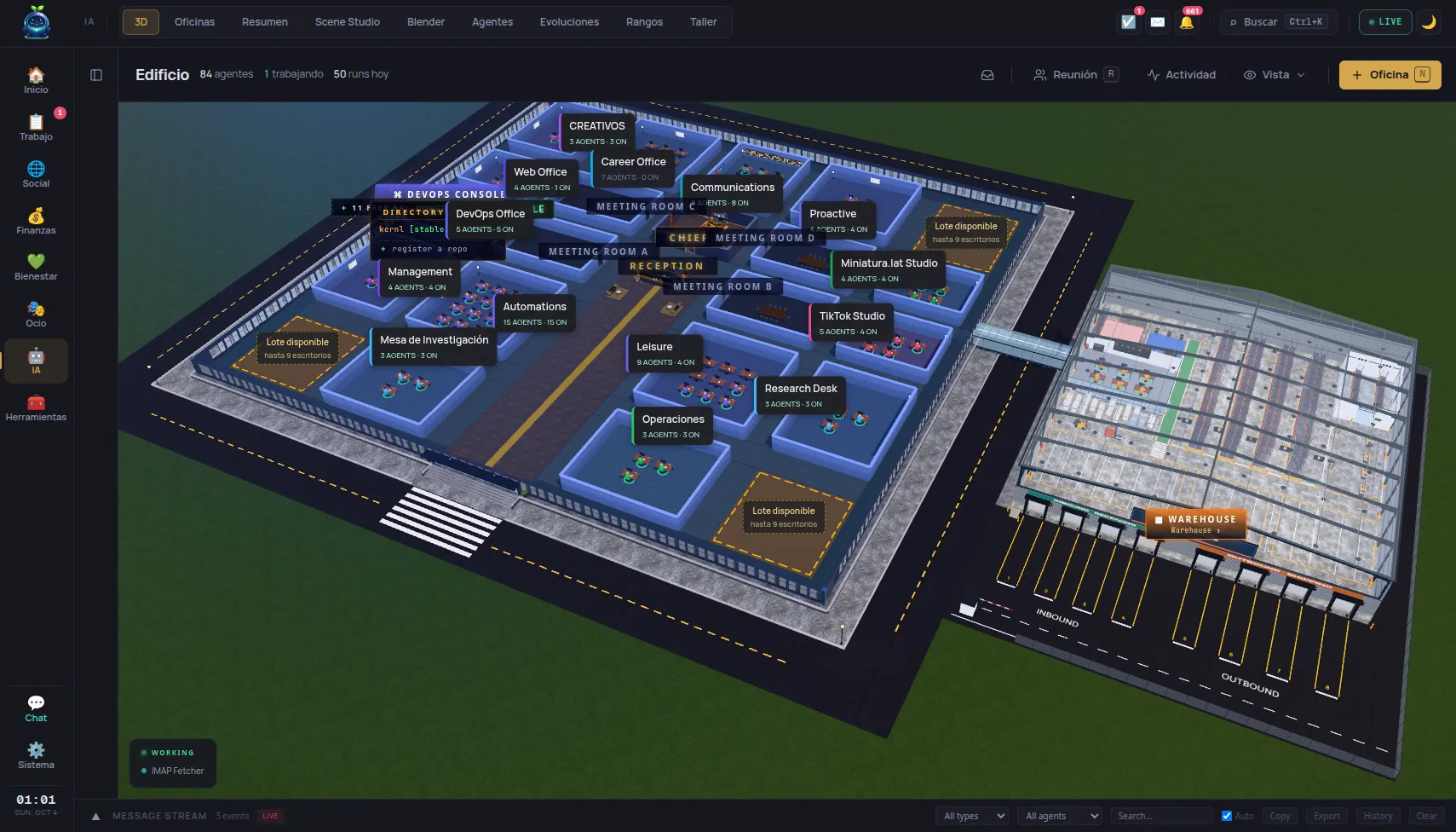
See progress in the dashboard and the 3D office view.
The model is your choice
The agents use a connected language model to decide their next action.
Inference on your hardware, with a local endpoint.
The selected provider receives the context sent in each request.
Connected services may also exchange data over the network. Self-hosted storage does not make every workflow offline.
What does that look like?
Illustrative workflows. Available actions depend on your enabled modules, connected accounts and agent configuration.
-
A clear goal
“Help me plan this week.”
-
Read the context
Consult tasks, deadlines and calendar entries.
-
Work with tools
An agent compares priorities and proposes a schedule.
-
A useful result
A proposed plan, with recorded tool calls to inspect.
-
A clear goal
“Review my inbox and prepare replies.”
-
Read the context
Read messages from a connected mail account.
-
Work with tools
An agent identifies relevant threads and writes drafts.
-
A useful result
Drafts to review. Sending is a separate action.
-
A clear goal
“Investigate this issue in my repository.”
-
Read the context
Use the configured workspace, files and development tools.
-
Work as a team
A lead can delegate a bounded task to another agent.
-
A useful result
Findings or changes, with run history and tool results.
Connecting an MCP client? See the configuration.
{
  "mcpServers": {
    "kernl": {
      "command": "npx",
      "args": ["-y", "mcp-remote", "http://localhost:3086/mcp",
        "--header", "Authorization:${KERNL_AUTH}"],
      "env": { "KERNL_AUTH": "Bearer <token>" }
    }
  }
}
{
  "mcpServers": {
    "kernl": {
      "url": "http://localhost:3086/mcp",
      "headers": {
        "Authorization": "Bearer <token>"
      }
    }
  }
}
# Streamable HTTP transport (official MCP spec).
# Opens a session: send the mcp-session-id header it returns on every later call.
curl -i -X POST http://localhost:3086/mcp \
  -H "Authorization: Bearer $(kernl token)" \
  -H "Content-Type: application/json" \
  -H "Accept: application/json, text/event-stream" \
  -d '{"jsonrpc":"2.0","id":1,"method":"initialize","params":{"protocolVersion":"2025-03-26","capabilities":{},"clientInfo":{"name":"curl","version":"1"}}}'
Step-by-step guides for Claude Code, Claude Desktop and Cursor →
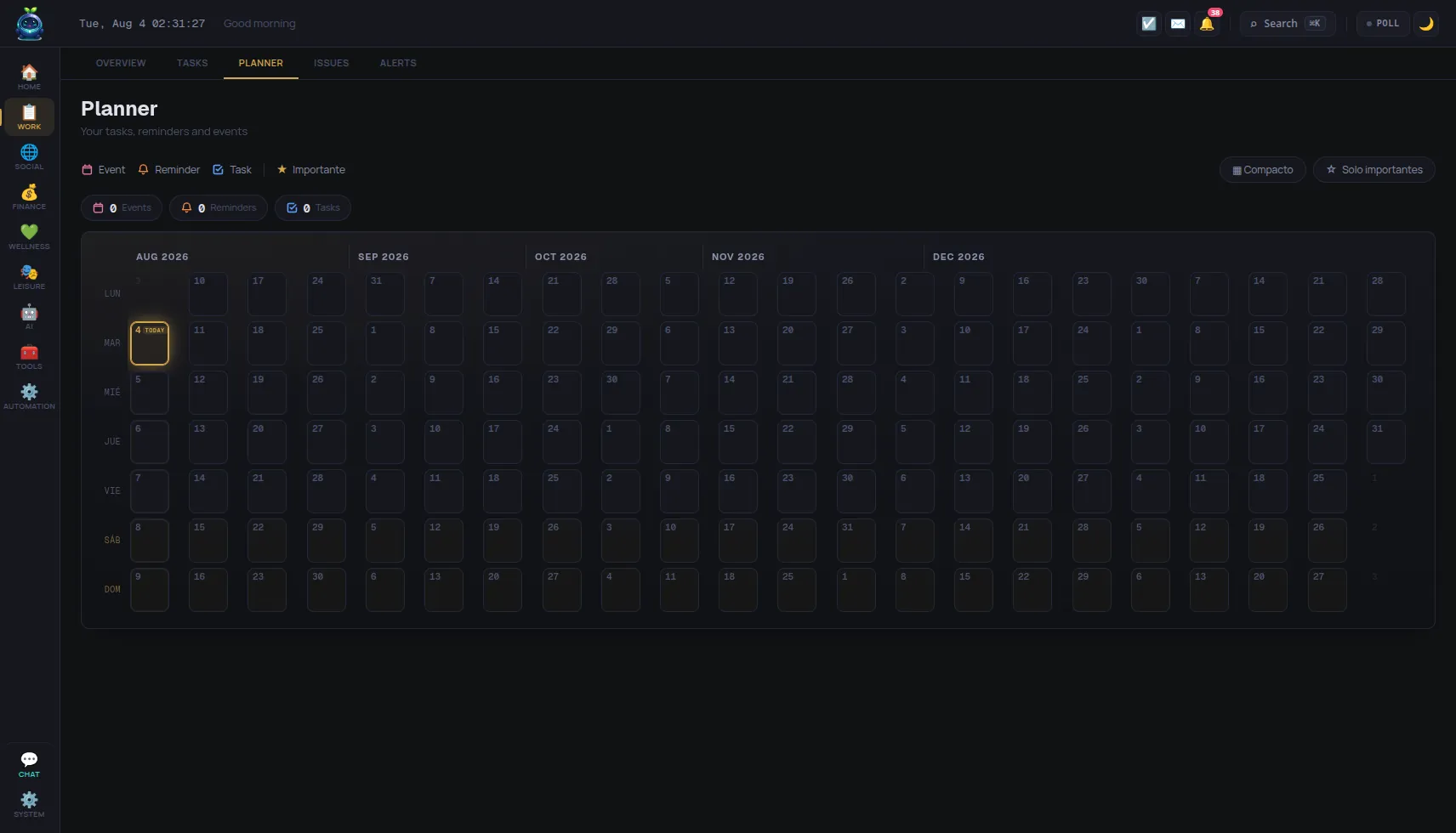
See it in action.
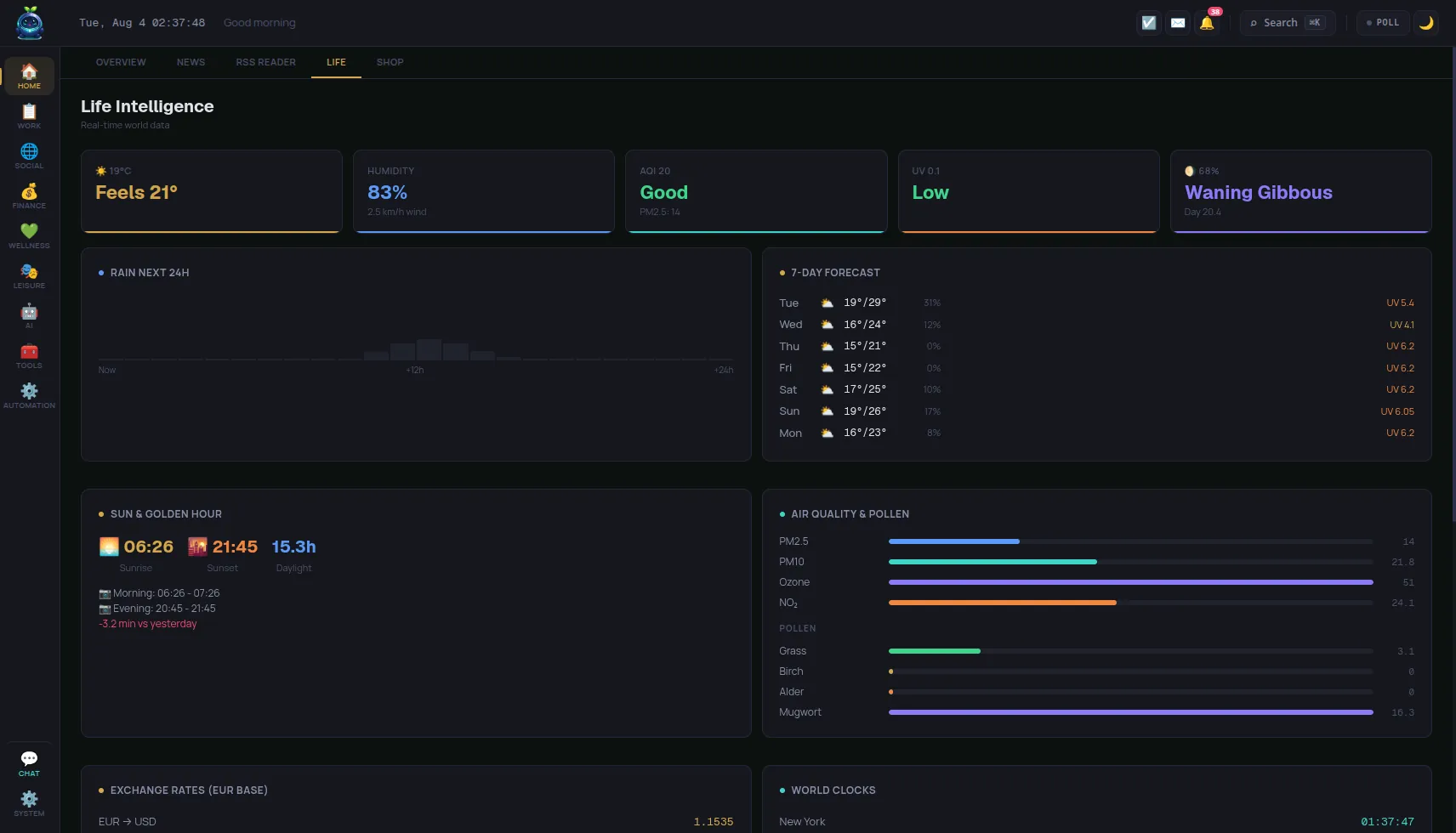
The 3D agents office and building, the planner and live world data — real captures, not mockups.
Your entire life, one kernel.
Every module is an MCP tool. Each one is optional, hot-swappable, and runs locally against your SQLite database.
Install in one line.
Detects your OS, downloads the right package, and opens the dashboard.
Latest v0.4.5 changelog checksums
curl -fsSL https://lifekernl.com/install.sh | shKernl isn't signed by Apple yet, so macOS says it can't verify the app and only offers Move to Trash or Done. Click Done, open System Settings → Privacy & Security, scroll down to the message about Kernl and click Open Anyway. macOS asks for your password once, and never again. Or run this in Terminal:
xattr -dr com.apple.quarantine /Applications/Kernl.appThe one-line install above does this for you.
curl -fsSL https://lifekernl.com/install.sh | shsudo apt install ./kernl_*.debsudo dnf install ./kernl-*.rpmirm https://lifekernl.com/install.ps1 | iexKernl isn't code-signed yet, so SmartScreen may show Windows protected your PC. Click More info, then Run anyway. It only happens on the first run.
git clone https://github.com/fastslack/kernl
cd kernl
cp .env.example .env
docker compose up -d --buildRuns kernel + dashboard + Neo4j + WhatsApp bridge. Dashboard at http://localhost:3086.
After install, the dashboard opens at http://localhost:3086 and walks you through a four-step setup — language, then your LLM: a cloud key, or a local model through LM Studio or Ollama if you would rather nothing left the machine. Everything stays editable afterwards in Settings, or in ~/.config/kernl/.env.
Why run it yourself?
Privacy by default
Your core data lives on your machine. Remote models and connected services receive the data needed for their requests.
Extensible by design
Every module is a plugin. Drop a .kernl bundle in, or write your own — same MCP surface.
Fast & light
Bun runtime, statically linked. Starts in a couple of seconds. ~320 MB installed — the runtime and native modules ship with it, so there is nothing else to install.
Truly open
Apache-2.0. Audit every line, run it forever, keep it even if we disappear — no licence server, no kill switch.
Local-first LLMs
LM Studio and Ollama work out of the box. Run agents on your own GPU.
Federated, not centralized
Mesh with other instances over the Matware mesh protocol. Your phone, your laptop, your VPS — same kernel.
Ready to take your life off the cloud?
Get launch updates.
No spam. One email when a new release ships, another when new modules land.
One email per release. No drip sequence, no upsells.